VeraKeep · formerly Spine
In working useAI can move fast without losing the thread.
VeraKeep keeps requirements, decisions, evidence, progress and next actions outside individual AI chats, so the next session, or the next AI tool, can continue from the same grounded project context.
A local-first project continuity layer for AI-assisted work: your AI already knows how to work; VeraKeep makes sure it knows your project. Version 1.20.27, Apache-2.0.
Open source. If offered as enterprise SaaS, the commercial edition sits within the NxSync portfolio.
AI models keep getting more capable, but project continuity has not kept pace with them — and the gap gets more expensive as the models improve, not less. A more capable model working from an incomplete or stale picture of a project produces a more confident, more plausible, more wrong answer than a weaker one would. The question worth asking is no longer only "how intelligent is the AI?" It is also: "what does the next AI actually know about the work already done?"
In most AI-assisted work today, the honest answer is: not much, unless someone re-explains it. Context is usually trapped in one conversation, one model, one IDE, or one person’s memory of a decision made three sessions ago.
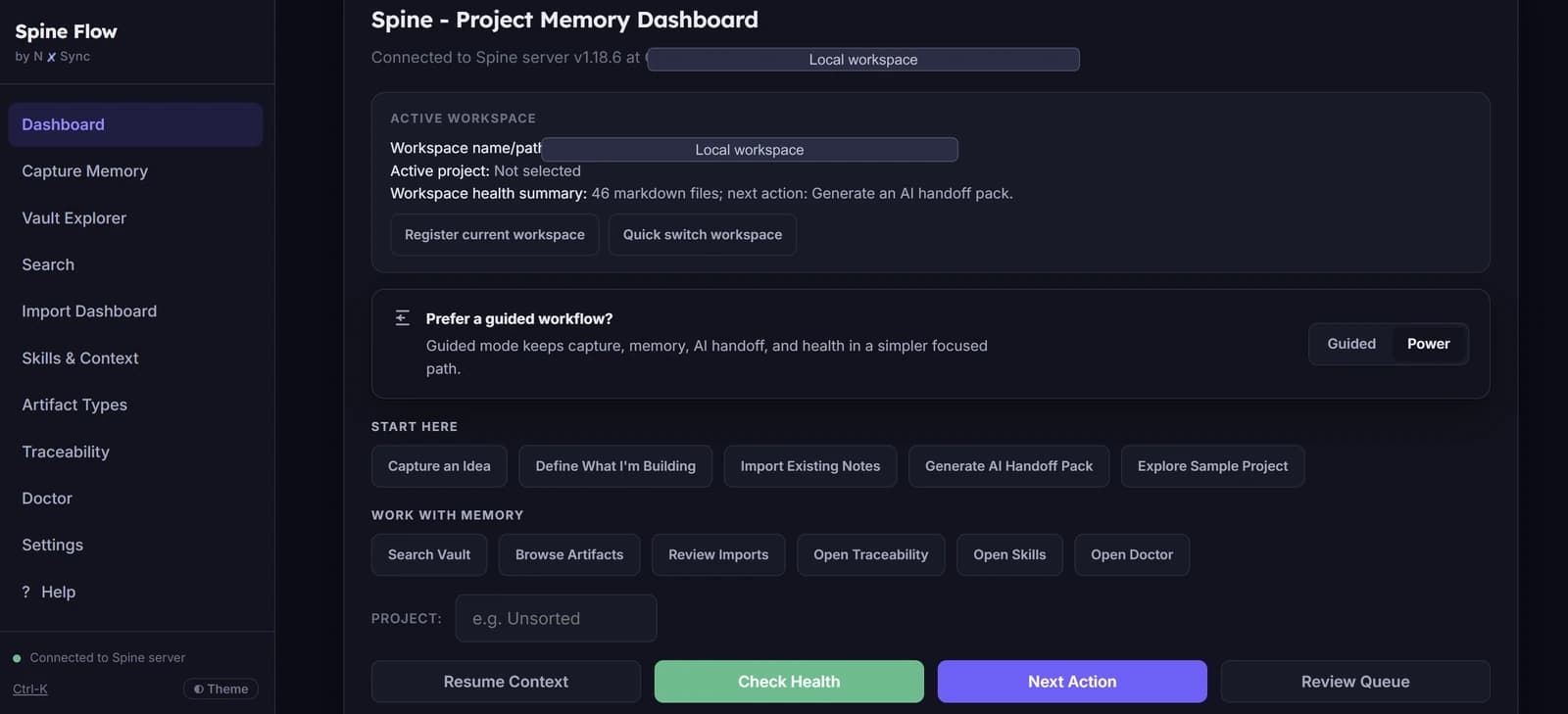
- 01
Continue
Where you left off, and which AI you want to continue in.
- 02
Capture
Save an idea, decision, problem or lesson. VeraKeep classifies what you type.
- 03
Project
See what VeraKeep knows about this project — requirements, decisions, risks.
- 04
Work
What's being built, what's done, what's blocked, what's next.
- 05
Switch AI
Move to a different AI without re-explaining. VeraKeep packages everything.
Why the common approaches fall short
None of these is a strawman — each one genuinely works for a while. Here is specifically where each one runs out of road on a real project.
- Copying prompts and instructions between tools
- A prompt describes what to do next. It does not carry the reasoning behind earlier decisions, so it has to be rewritten, and re-decided, every time the project moves to a different tool.
- Relying on chat history
- Chat history is a transcript, not a record. Finding the one message where a decision was actually made, months later, in a thread with hundreds of others, is a search problem — and search over an unstructured transcript answers "where was this mentioned," not "what did we actually decide."
- One giant context file
- A single accumulating file grows past what any model can usefully read, mixes settled decisions with abandoned ones, and gives no way to tell which parts are still true.
- Opaque vector memory alone
- Semantic retrieval surfaces text that resembles the question, not necessarily the decision that answers it — and it is difficult for a person to audit why a given passage was retrieved or trust that nothing important was missed.
- Agent-specific proprietary memory
- Memory that lives inside one vendor’s tool does not travel when the project moves to a different one — and most real projects now move between several AI tools over their lifetime.
- Expecting the person to reconstruct project state manually
- This works until it does not: the reconstruction tax is paid every single session, by the person, silently, and it scales with how long the project has been running rather than shrinking over time.
Why AI work drifts
- A requirement gets rephrased somewhere in a long chat, and the original wording is gone.
- A decision gets made mid-conversation and never written down anywhere durable.
- An assumption repeated a few times quietly becomes treated as a fact.
- One AI session has no way to see what a different session, or a different AI tool, already decided.
- The person has to reconstruct the project from memory before work can continue.
VeraKeep exists to close each of these gaps:
- Context loss between sessions, by keeping requirements, decisions, evidence, progress and next actions in Git-tracked Markdown rather than inside a chat transcript.
- Repeated explanation, by generating a context pack an AI tool can read at the start of a session instead of the person re-typing the brief.
- Contradictory assumptions, by keeping decisions and their reasoning as a separate, referenceable record rather than folded into prose.
- Tool-switching friction, by packaging the same project context for Claude, Codex, Cursor, Hermes, Antigravity, Windsurf, OpenClaw or a generic MCP client.
What VeraKeep keeps
- Requirements
- Concrete requirements with explicit implementation, verification and approval lineage.
- Decisions
- The reasoning behind a choice, recorded outside the chat that produced it — not just the outcome.
- Evidence
- Verifiable proof (code, review, test run, human sign-off) with explicit trust levels. Unknowns are never fabricated.
- Progress, blockers and next actions
- What has been implemented, what is verified versus pending, what is blocked and why, and the recommended next step.
- Checkpoints
- A governed record at session or task boundaries of what changed, why, what was tested, and what comes next — without fabricating claims.
- Imports and reviewed memory
- Markdown, chat exports and existing codebases can be imported; nothing becomes durable memory without a human review step.
- Traceability
- A stable requirement ID threads through decisions, implementation, review and verification. Unknown links stay unknown.
- Governed writes
- Every automated or AI-driven change to project memory passes through a write broker that validates it against schema and policy before it is saved.
Guided Mode
Step-by-step guidance through the five everyday actions — built for founders, first-time users and non-coders.
Power Mode
Faster, direct controls: search, imports, traceability, project health, skill management and workspace settings.
Switching AI tools
VeraKeep connects locally to Claude, Codex, Cursor, Hermes, Antigravity, Windsurf, OpenClaw through the Model Context Protocol, and packages the same project context for whichever tool you move to next.
VeraKeep does not try to become another agent platform, another chat interface, or a place where work happens. It sits underneath the AI tools a project already uses, and speaks to them over the Model Context Protocol (MCP) — a local, stdio connection, not a network service.
The design reason is specific: an agent platform asks you to bring your work to it. A context layer goes to wherever the work already is. Claude, Codex, Cursor, Hermes, Antigravity, Windsurf and OpenClaw each have real, different strengths — the point of VeraKeep is that switching between them should cost a few seconds of context packaging, not a fresh explanation of the entire project.
Skills
VeraKeep ships ten core working methods (called Tract skills — analyst, architect, developer, QA, release and others) and lets a project add its own local or third-party skills. The surface for this is called Manage Skills (browsing, reviewing, enabling and disabling) and Use Skills (choosing one for an AI handoff).
Trust states: Trusted · Needs Review · Blocked. A new skill, whether local or from a Git link, is scanned for risk before it can be used, and starts out needing review rather than being trusted by default.
Local-first
- Project memory is Markdown, tracked in Git — it is authoritative, and it is yours: nothing is locked in a proprietary format.
- The local search index is derived from that Markdown and fully rebuildable — it is never the source of truth.
- The interface binds only to your own machine; the connection to an AI tool runs over local stdio, not a network listener.
- No credentials or secrets are stored by VeraKeep itself.
What it took
None of this is a weekend project. The parts that took real, deliberate work:
- Continuity design — deciding what actually needs to persist (requirements, decisions, evidence, progress, blockers, next actions) versus what is safe to let a session forget.
- MCP compatibility and host/tool integration — a certification ladder per client (installed → configured → connection tested → read tool verified → mutation tool verified), because "it connects" and "it connects safely" are different claims.
- Governance and trust modelling — a skill-audit pass that scans for prompt injection, role hijack and credential access before any imported skill is trusted, and a write broker that every automated or AI-driven change to project memory must pass through.
- Context packaging — budgeted resume profiles (compact, standard, deep) so a handoff to a new AI session is sized to what that session actually needs, not everything ever recorded.
- UI simplification — a genuinely simpler Guided Mode sitting over the same underlying engine as Power Mode, because sophisticated infrastructure that only power users can operate is not yet useful infrastructure.
- Anti-drift discipline — keeping unknowns explicitly unknown rather than letting a model quietly fill a gap with something plausible-sounding.
This is a problem that gets more important as models improve, not less — a more capable model given an incomplete project picture produces a more convincing wrong answer, not a more honest "I don’t know."
What VeraKeep is not
- Not another chatbot — VeraKeep has no conversational interface of its own; it sits underneath the AI tools you already use.
- Not a transcript archive — it records structured project memory (decisions with their reasoning, requirements with their lifecycle) rather than a searchable chat log.
- Not an autonomous agent platform — it does not act on a codebase by itself. Governed writes go through a broker with schema validation and rollback; the human stays in charge of what ships.
- Not a replacement for human project judgment — unknowns stay explicitly unknown rather than being quietly filled in.
Quick answers
What is VeraKeep?
VeraKeep is a local-first, tool-independent project continuity layer for AI-assisted work. It keeps decisions, requirements, evidence and next actions traceable across sessions and across AI tools.
Is VeraKeep an AI memory tool?
Not in the sense of a searchable chat log. VeraKeep records structured project memory (decisions with their reasoning, requirements with their lifecycle, evidence kept distinct from opinion) rather than transcribing conversations for search.
What problem does VeraKeep solve?
AI-assisted work can move fast enough that the reasoning behind decisions disappears between sessions, and each AI tool starts from a blank understanding of the project. VeraKeep keeps that reasoning recorded, traceable and available to whichever tool you use next.
Can VeraKeep work across different AI tools?
Yes — that is the design goal. VeraKeep connects to Claude, Codex, Cursor, Hermes, Antigravity, Windsurf and OpenClaw through a local MCP connection, and packages the same project context for whichever tool you switch to.
Does VeraKeep guarantee an AI will never get something wrong?
No — VeraKeep does not claim that. What it does is reduce a specific, common cause of error: a model working from an incomplete or contradictory picture of the project because the context that mattered lived only in a previous conversation.
Is VeraKeep commercially launched?
VeraKeep is in working use, including in the production of this website, and is released under the Apache-2.0 licence as an independent open-source project. It is not offered as a priced commercial product today. If it is ever offered as enterprise SaaS, that commercial edition would sit within the NxSync portfolio.
Was VeraKeep called something else?
Yes. The product was called Spine and was renamed VeraKeep in August 2026. Earlier articles on this site that mention Spine describe an earlier stage of the same project.